Frequently Asked Questions
Effective business management starts with understanding the what and the how. We’ve gathered answers to the most common questions about ClickEat, so you can move forward independently and with confidence.
- Is the platform fully branded for my business?
- Can I run promotions, bundles, and limited-time offers on my own?
- Does ClickEat provide preparation and production reports?
- Do all orders from different channels go into one system?
- Can I control item availability and daily production limits?
- How does ClickEat help with repeat customers and loyalty?
- Can I manage catering and large group orders separately?
- Does the system support pickup, curbside, and delivery?
- Can customers pre-order baked goods and café items in advance?
- Is ClickEat suitable for small bakeries and neighborhood cafés?
- How long does implementation take?
- Is the system suitable for schools?
- How do restaurants receive and prepare orders?
- Can the organization track usage and costs?
- How are payments handled?
- Does ClickEat support catering menus?
- Can orders be placed in advance?
- How does meal eligibility and subsidy management work?
- Can employees or students order individually?
- Who is this solution designed for?
- What is ClickEat for catering and organizations?
- Can I manage catering, prepared food, and lunch specials in one system?
- Does ClickEat support holiday and seasonal catering menus?
- Can catering orders be picked, packed, and verified efficiently?
- Does the system help with kitchen preparation and production planning?
- Can I manage catering orders scheduled for future dates?
- Does ClickEat support event catering by number of guests and budget?
- Can I create a dedicated catering menu separate from my regular menu?
- Does the system support charging by actual weight after preparation?
- Can customers order catering based on trays, containers, or portions instead of fixed items?
- Is ClickEat suitable for restaurants that offer catering in addition to regular service?
- Can ClickEat support network expansion and new store launches?
- Is the customer experience branded for each restaurant chain?
- Can the system integrate with existing POS and kitchen systems?
- How are payments and revenue settlements handled between franchisees and the network?
- Can ClickEat provide performance reports across all locations?
- Does ClickEat support network-wide gift cards and loyalty programs?
- How does ClickEat handle approvals and governance in franchise networks?
- Can franchisees manage their own store independently?
- Can headquarters control menus, pricing and promotions across all locations?
- Is ClickEat suitable for large restaurant chains and franchise networks?
- What kind of reports does the system provide?
- Can I manage repeat customers and loyalty programs?
- Does the system support delivery and pickup zones?
- Can customers place orders for future dates?
- Can customers choose cut and preparation options?
- Does ClickEat integrate with POS systems and smart scales?
- Can I control daily availability and freshness?
- How does pricing work if the final weight is different?
- Can customers order meat or fish by exact weight?
- Is ClickEat suitable for butcher shops and fish markets in the U.S.?
- How long does it take to launch ClickEat?
- Does ClickEat support pickup and curbside orders?
- What payment methods are supported?
- How does ClickEat help during peak hours?
- Does ClickEat support loyalty programs and repeat customers?
- Can restaurants manage promotions and marketing on their own?
- How are phone orders handled?
- Can the system handle complex menu customization?
- Does ClickEat replace third-party delivery platforms?
- Is ClickEat suitable for independent restaurants as well as chains?
-
Is the platform fully branded for my business?
Yes. All customer-facing elements are fully branded to match your bakery, café, or deli. There is no marketplace branding — your brand remains front and center across ordering, confirmations, and digital touchpoints. -
Can I run promotions, bundles, and limited-time offers on my own?
Yes. ClickEat includes built-in marketing tools such as pop-ups, upsells, bundles, and time-based promotions. Everything is managed independently by the business — no third-party tools or support requests required. -
Does ClickEat provide preparation and production reports?
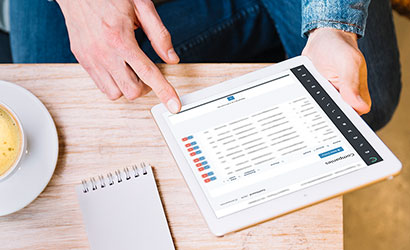
Yes. The system generates clear reports showing what needs to be prepared, baked, or assembled by item and time frame. These reports help teams plan production accurately and reduce last-minute stress. -
Do all orders from different channels go into one system?
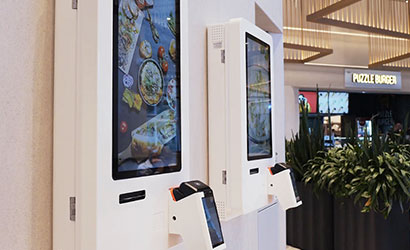
Yes. Orders from the website, mobile experience, kiosks, and phone orders are all centralized in one dashboard. This eliminates double entry, missed orders, and operational confusion. -
Can I control item availability and daily production limits?
Yes. You can manage availability by day, time window, or quantity. This prevents over-selling, reduces waste, and ensures your team prepares exactly what’s needed each day. -
How does ClickEat help with repeat customers and loyalty?
ClickEat includes built-in loyalty tools that allow customers to earn rewards, redeem benefits, and reorder previous purchases easily. Digital gift cards and stored payment options help increase repeat business and customer lifetime value. -
Can I manage catering and large group orders separately?
Yes. The platform includes dedicated catering menus for trays, boxes, coffee service, and group meals. You can define minimum quantities, advance notice requirements, and capacity limits without affecting your regular menu. -
Does the system support pickup, curbside, and delivery?
Yes. ClickEat supports in-store pickup, curbside pickup, and local delivery within one unified flow. Customers choose available time slots, while you maintain full control over preparation times, delivery zones, and order volume. -
Can customers pre-order baked goods and café items in advance?
Absolutely. Customers can place same-day, next-day, or future orders based on your availability rules. You control cut-off times, daily limits, and item availability to ensure freshness and smooth preparation. -
Is ClickEat suitable for small bakeries and neighborhood cafés?
Yes. ClickEat is designed to support both small local businesses and growing brands. Whether you run a single bakery, a café with daily specials, or a deli with catering orders, the system adapts to your size, volume, and workflow without unnecessary complexity. -
How long does implementation take?
Implementation is fast and modular. Most organizations can go live within a short onboarding period, with gradual expansion as needed. -
Is the system suitable for schools?
Yes. In the U.S. market, the platform fits well for schools ordering meals from nearby restaurants. Students or staff can order according to predefined rules, while vendors receive organized production-ready orders. -
How do restaurants receive and prepare orders?
Restaurants receive consolidated, structured orders with clear pickup or delivery times. This reduces confusion, improves preparation efficiency, and helps manage peak hours. -
Can the organization track usage and costs?
Yes. Administrators have access to detailed dashboards and reports, including:- Orders by user, department, or location
- Budget usage over time
- Vendor performance and order volume
-
How are payments handled?
ClickEat supports flexible payment models:- Centralized organizational billing
- Individual payments
- Split payments (subsidy + user payment)
-
Does ClickEat support catering menus?
Yes. Restaurants can create dedicated catering menus with predefined portions, bundles, and pricing. Menus can be tailored for events, group orders, or recurring organizational meals. -
Can orders be placed in advance?
Absolutely. Orders can be scheduled daily, weekly, or monthly in advance. This allows both organizations and restaurants to plan ahead and reduce operational pressure. -
How does meal eligibility and subsidy management work?
Eligibility rules can be defined per user or group:- Fully subsidized meals
- Partial subsidy with employee co-pay
- Guest or paid-only orders
-
Can employees or students order individually?
Yes. Each user places their own order through a shared organizational system. Orders are validated automatically based on eligibility, budget, or policy — without manual approval. -
Who is this solution designed for?
The platform is ideal for:- Companies providing daily or recurring meals to employees
- Schools and educational environments ordering from local restaurants
- Organizations managing meal benefits or subsidized dining
- Restaurants offering structured catering menus to organizations
-
What is ClickEat for catering and organizations?
ClickEat is a centralized meal ordering platform designed for organizations, workplaces, and schools that order meals from restaurants and catering providers. It streamlines ordering, eligibility control, payments, and operations — all in one system. -
Can I manage catering, prepared food, and lunch specials in one system?
Yes. ClickEat allows you to run:- Catering and bulk prepared food
- Event menus
- Lunch specials and combo meals
-
Does ClickEat support holiday and seasonal catering menus?
Yes. You can create holiday-specific catering menus that:- Open for orders weeks in advance
- Include minimum order values or quantities
- Limit availability by date or capacity
- Automatically close before production deadlines
-
Can catering orders be picked, packed, and verified efficiently?
Yes. The platform includes a dedicated picking and packing interface. Staff can view container types, quantities, preparation notes, and update actual weights in real time—ensuring accuracy before dispatch or pickup. -
Does the system help with kitchen preparation and production planning?
Yes. ClickEat provides production and preparation reports, including:- Total quantities per dish
- Breakdown by container size
- Daily and area-based preparation summaries
-
Can I manage catering orders scheduled for future dates?
Definitely. ClickEat is built for advanced pre-orders. You can control:- Delivery dates and time windows
- Daily or hourly capacity
- Order cut-off times
- Area-based delivery rules
-
Does ClickEat support event catering by number of guests and budget?
Yes. The platform includes a smart event menu builder. Customers can select the number of guests and a target budget, and the system automatically suggests quantities and menu combinations—making large event orders simple, accurate, and scalable. -
Can I create a dedicated catering menu separate from my regular menu?
Yes. You can create separate catering menus, including:- Catering-only items
- Event menus
- Holiday menus
- Bulk and tray-based offerings
-
Does the system support charging by actual weight after preparation?
Yes. ClickEat supports authorization-based payments. A temporary card authorization is captured during checkout, and the final charge is calculated after preparation based on the actual weight or quantity packed—ensuring fair billing for both the business and the customer. -
Can customers order catering based on trays, containers, or portions instead of fixed items?
Absolutely. ClickEat supports ordering by containers, tray sizes, and serving volumes, just like in real catering operations. Behind the scenes, each container can be translated into weight or production quantities, enabling accurate pricing and preparation. -
Is ClickEat suitable for restaurants that offer catering in addition to regular service?
Yes. ClickEat is designed for restaurants that operate daily service and offer catering menus. The system allows you to manage regular orders, catering orders, events, and bulk prepared food from one platform—without running separate systems or workflows. -
Can ClickEat support network expansion and new store launches?
Definitely. New locations can be launched quickly by duplicating menus, configurations and workflows. This allows restaurant networks to scale efficiently while maintaining operational standards and brand consistency. -
Is the customer experience branded for each restaurant chain?
Yes. All customer-facing systems — website, app, kiosks and ordering flows — are fully branded with the restaurant’s identity. There is no third-party branding, ensuring a consistent and professional brand experience across all locations. -
Can the system integrate with existing POS and kitchen systems?
Yes. ClickEat integrates with POS systems, kitchen displays (KDS), printers and delivery tools. Each store continues working with its existing infrastructure while being connected to the network platform. -
How are payments and revenue settlements handled between franchisees and the network?
ClickEat includes financial tools for franchise networks, including centralized payment processing, revenue splitting and automated settlement. This removes the need for manual reconciliation and ensures transparency between franchisees and corporate. -
Can ClickEat provide performance reports across all locations?
Yes. Headquarters and regional managers have access to advanced analytics and cross-location reports. You can compare sales, order volume, average order value, promotions and operational performance between locations in real time. -
Does ClickEat support network-wide gift cards and loyalty programs?
Yes. ClickEat supports network-wide gift cards that can be redeemed at any participating location. The system automatically handles redemption, tracking and financial settlement between stores and headquarters. -
How does ClickEat handle approvals and governance in franchise networks?
The system includes a built-in approval workflow. Menu changes, price updates, promotions or product removals can require corporate approval before going live — ensuring brand consistency and regulatory compliance. -
Can franchisees manage their own store independently?
Yes. Each franchisee or store manager has access only to their own location, based on role permissions. They can manage daily operations, availability, delivery settings and local performance — without affecting other stores or the network. -
Can headquarters control menus, pricing and promotions across all locations?
Absolutely. Headquarters can manage network-wide menus, pricing, promotions and brand standards from a single dashboard. Stores can be allowed to make local adjustments only if approved or permitted by corporate policy. -
Is ClickEat suitable for large restaurant chains and franchise networks?
Yes. ClickEat was designed specifically for multi-location restaurant networks, including franchises and corporate-owned chains. The system allows centralized control by headquarters while giving each location operational flexibility within defined rules. -
What kind of reports does the system provide?
ClickEat provides detailed operational and production reports, including:- Required quantities by product and weight
- Preparation needs by date and delivery zone
- Packaging breakdowns (e.g., number of 1 lb vs 2 lb packs)
-
Can I manage repeat customers and loyalty programs?
ClickEat includes customer accounts with order history and one-click reordering. You can run a built-in loyalty program or integrate with an existing POS-based system, including points, rewards, or store credits. This helps increase repeat purchases and long-term customer retention. -
Does the system support delivery and pickup zones?
Yes. You can define delivery zones by city, distance, or custom areas. Each zone can have different delivery days, time windows, minimum order amounts, and delivery fees. All rules are clearly shown to customers during checkout to avoid misunderstandings. -
Can customers place orders for future dates?
Customers can schedule orders for future pickup or delivery dates, based on your defined availability. Orders are organized in a production calendar, allowing your team to plan preparation and avoid last-minute overload. Capacity limits can be set to protect quality during peak periods. -
Can customers choose cut and preparation options?
Yes. Each product can include custom preparation options such as slicing, trimming, filleting, skin removal, or special cuts. Customers choose from predefined options, ensuring orders arrive clear, complete, and ready for preparation — without follow-up calls. -
Does ClickEat integrate with POS systems and smart scales?
Yes. ClickEat connects directly with POS systems and smart scales. Weights, prices, and order data sync automatically, eliminating manual entry and ensuring consistency across receipts, reports, and billing. This creates a seamless flow between the counter, preparation area, and online orders. -
Can I control daily availability and freshness?
Absolutely. Products can be enabled or disabled daily, by quantity or freshness status. Only items that are actually available appear online, helping prevent cancellations and customer frustration. Availability for online orders can be managed separately from in-store counter sales. -
How does pricing work if the final weight is different?
At checkout, the system places an authorization hold based on the estimated weight. Once the product is weighed, the final price is updated automatically and the customer is charged the exact amount. This prevents overcharging, refunds, or disputes and is ideal for fresh products with variable weight. -
Can customers order meat or fish by exact weight?
Customers select a desired weight range, cut type, and preparation method during checkout. The final charge is calculated only after the product is weighed during preparation, ensuring full accuracy and transparency. This reflects the real counter experience while keeping online ordering simple and reliable. -
Is ClickEat suitable for butcher shops and fish markets in the U.S.?
Yes. ClickEat is specifically designed for businesses that sell fresh products by weight, such as butcheries and fish markets. The system supports weight-based ordering, cut and preparation options, post-weigh billing, and daily availability management — all aligned with how these businesses operate in real life. -
How long does it take to launch ClickEat?
In most cases, restaurants can go live within a short timeframe. The onboarding process is designed to fit into existing workflows without interrupting daily operations or requiring complex changes. -
Does ClickEat support pickup and curbside orders?
Yes. ClickEat includes smart pickup and curbside arrival management. Customers can notify the restaurant when they are on the way or have arrived, allowing staff to prepare and hand off orders efficiently with minimal waiting time. -
What payment methods are supported?
ClickEat supports a wide range of payment options, including:- Credit and debit cards
- Apple Pay and Google Pay
- Digital wallets
- Saved payment methods
- Split payments
-
How does ClickEat help during peak hours?
ClickEat provides real-time operational controls that allow restaurants to:- Pause incoming orders
- Adjust preparation times
- Disable menu items temporarily
- Limit delivery zones or order capacity
-
Does ClickEat support loyalty programs and repeat customers?
Yes. Restaurants can either connect an existing loyalty program or use ClickEat’s built-in loyalty system. Customers can earn and redeem points, credits, or rewards, view their order history, and reorder favorite meals with one click. -
Can restaurants manage promotions and marketing on their own?
Yes. ClickEat includes a self-managed marketing system that allows restaurants to create and control promotions, discounts, popups, loyalty programs, gift cards, and digital credits. All campaigns can be configured by the restaurant without contacting support or external agencies. -
How are phone orders handled?
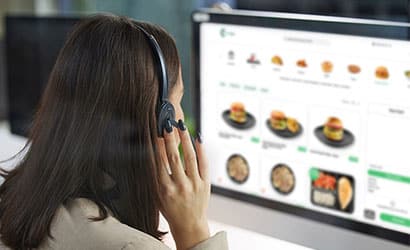
ClickEat includes a dedicated interface for phone orders. Staff can quickly identify returning customers, view order history, reuse saved payment methods, and place orders efficiently. Phone orders are processed through the same system as online and kiosk orders, ensuring operational consistency and reducing errors. -
Can the system handle complex menu customization?
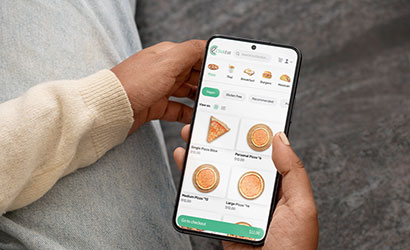
Absolutely. ClickEat is built for complex menus and interactive ordering flows, including pizzas, bowls, shawarma-style meals, combo trays, and build-your-own dishes. Menus can include logic-based options, add-ons, exclusions, and guided selections that simplify ordering while increasing average order value. -
Does ClickEat replace third-party delivery platforms?
ClickEat does not require third-party marketplaces. It enables restaurants to manage direct online ordering, delivery, and pickup under their own brand — without commissions, third-party branding, or loss of customer data. Restaurants may still choose to work with external platforms if needed, but ClickEat allows full ownership of the customer relationship. -
Is ClickEat suitable for independent restaurants as well as chains?
Yes. ClickEat is designed for both independent restaurants and multi-location brands. Single-location restaurants can start quickly, while chains benefit from centralized control, branding consistency, and scalable operations across locations.